

Appearance
EasyTrace is coming this November
EasyTrace is planned to launch this November.
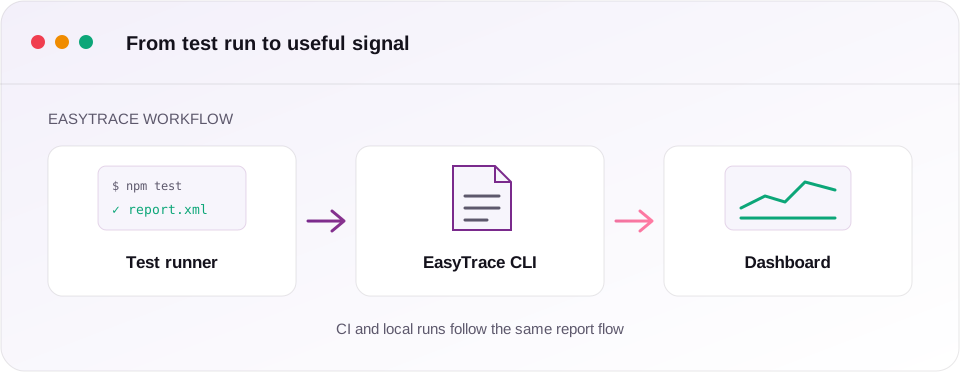
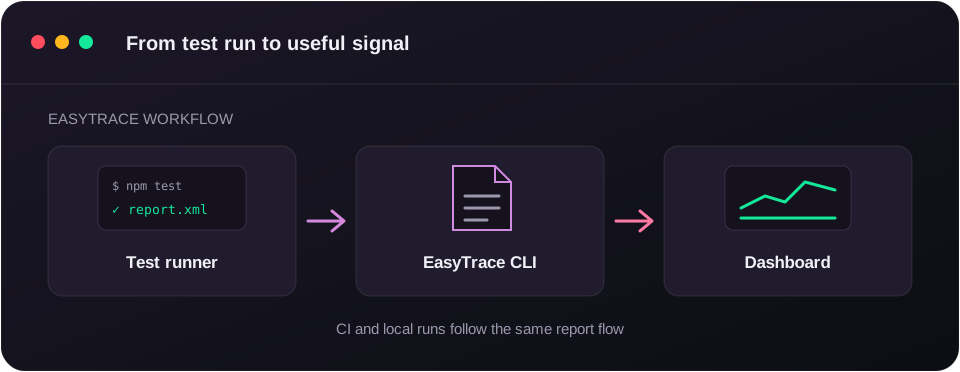
It gives teams one place to understand the results of automated tests from CI and developer machines. After your tests finish, the EasyTrace CLI uploads their report files and the dashboard shows the runs, new failures, flaky tests and coverage changes.
A quieter way to follow test health
Test results should be useful after the terminal closes. EasyTrace keeps the details together so a team can answer the questions that matter:
- Which test runs failed, and which failures are new?
- Is a test intermittently failing, or did it fail once?
- How has coverage moved since the last run on the default branch?
- Did a result come from CI or from a teammate's local machine?
The workflow stays deliberately small. Your test runner writes a JSON or JUnit XML report, then the CLI reads and uploads it. It works with Vitest, Jest, Playwright, Cypress and other runners that can produce a supported report format.
Ready for CI and local work
The November release will support the same two paths teams use every day:
- CI uploads use a project token stored in the CI secret store, so each pipeline run is visible alongside the rest of its build.
- Local uploads start with
easytrace login, letting developers send an investigation or focused test run to the same project without sharing a token.
The CLI is designed to preserve your test command's exit code. If an upload has a problem, it reports a warning rather than turning a passing or failing test suite into something else.
Getting ready
The documentation is already here if you want to see the workflow before launch:
- Start with the Quickstart for a first uploaded run.
- Use Writing report files to prepare your runner.
- See Continuous integration for adding EasyTrace after tests in a pipeline.
We will share the launch update here when EasyTrace is available in November.